




WordPress is one of the most popular content management systems (CMS) available, powering over 34% of websites on the internet. It offers numerous advantages for website building, customization, and search engine optimization (SEO). Whether you are a beginner or an experienced developer, WordPress provides user-friendly features that simplify website management.
Table of Contents
Advantages of Choosing WordPress
1. Cost-Effective:
WordPress stands out as an exceptionally cost-effective solution for web development, particularly when compared to traditional methods that often involve significant upfront expenses. Unlike proprietary software or custom development solutions that may require substantial licensing fees or development costs, WordPress is renowned for its free and open-source nature. This means users have access to the core WordPress software without any upfront costs, allowing them to allocate their budget primarily towards essential elements such as web hosting and domain registration.
Furthermore, the availability of affordable hosting options like Beebll, starting as low as £2.70 per month, further minimizes the financial barrier to entry. These hosting providers offer competitive pricing packages that cater to various budgets, making WordPress accessible to individuals, small businesses, and enterprises alike. By leveraging these cost-effective resources, users can allocate their financial resources strategically, investing in areas that directly contribute to their website’s success, such as premium themes or marketing efforts.

2. Beginner-Friendly:
One of the most significant advantages of WordPress is its unparalleled user-friendliness, making it an ideal choice for beginners venturing into web development. Unlike complex content management systems or proprietary platforms that may require extensive technical knowledge, WordPress prioritizes simplicity and ease of use from the outset.
The platform’s intuitive interface and setup wizard guide users through every step of the website creation process, from initial setup to customization and content management. Users can quickly and effortlessly navigate the dashboard, selecting themes, installing plugins, and adding content without the need for prior coding experience. This user-centric approach empowers beginners to create professional-looking websites with minimal effort, enabling them to focus on crafting compelling content and engaging with their audience.
Moreover, WordPress’s extensive documentation, tutorials, and community forums serve as valuable resources for beginners seeking guidance and support. Whether troubleshooting technical issues or exploring advanced features, users can leverage these resources to enhance their proficiency and unlock the full potential of the platform.
3. Modular and Extensible:
WordPress’s modular architecture is a cornerstone of its flexibility and versatility, offering users unparalleled customization options through themes and plugins. Unlike rigid proprietary platforms that may limit customization to predefined templates or features, WordPress empowers users to tailor their websites to suit their unique needs and preferences.
With thousands of free and premium themes available, users can choose from a diverse range of designs and layouts to create visually stunning websites that resonate with their brand identity. From minimalist portfolios to sophisticated eCommerce stores, there’s a theme for every niche and industry, ensuring users can find the perfect fit for their project.
Additionally, the extensive library of plugins expands WordPress’s functionality beyond its core features, allowing users to integrate advanced capabilities seamlessly. Whether it’s adding contact forms, social media integration, or SEO optimization tools, plugins offer endless possibilities for enhancing website performance and user experience. This modular approach empowers users to build feature-rich websites without the need for custom development, saving time and resources while maintaining scalability and flexibility.
4. Versatile Website Creation:
Over the years, WordPress has evolved from a blogging platform to a comprehensive content management system capable of supporting a wide range of websites. Its versatility makes it an ideal choice for individuals and businesses across diverse industries, from creative professionals and freelancers to multinational corporations.
WordPress’s flexibility stems from its extensive ecosystem of themes, plugins, and third-party integrations, which cater to various website needs and objectives. For example, photographers can showcase their portfolios with visually stunning gallery themes, while nonprofit organizations can leverage donation plugins to support their fundraising efforts.
Moreover, WordPress’s scalability ensures that websites can grow and evolve alongside the needs of their users and businesses. Whether it’s expanding an online store to accommodate a larger product catalog or integrating multilingual capabilities for global audiences, WordPress offers the flexibility and resources to support long-term growth and success.
5. Responsive Design:
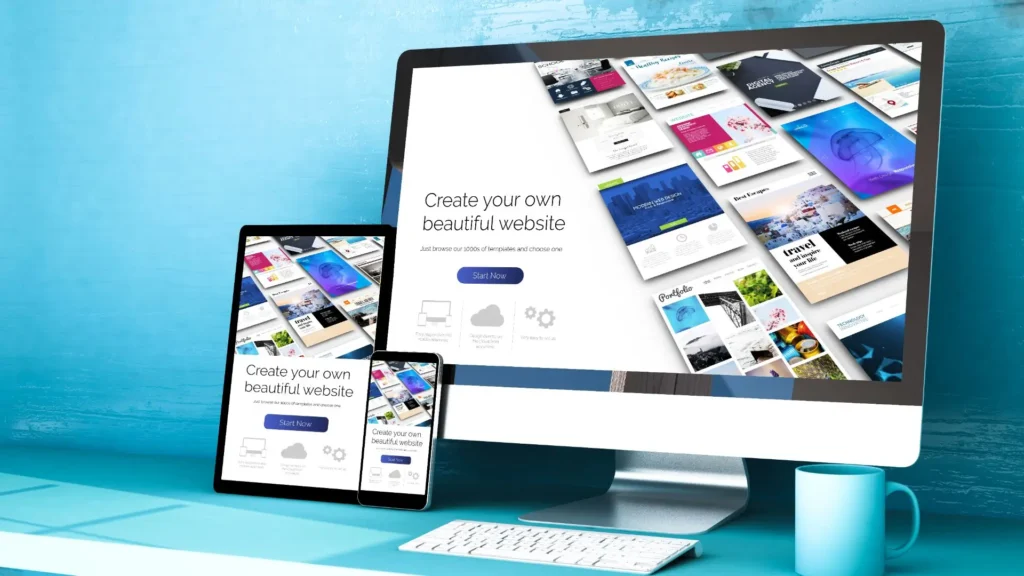
In today’s digital landscape, responsive design is essential for delivering optimal user experiences across a wide range of devices and screen sizes. WordPress excels in this aspect by offering built-in responsive design capabilities that ensure websites look and perform seamlessly on desktops, laptops, tablets, and smartphones.
Themes and page builders like Elementor and Beaver Builder further enhance WordPress’s responsive design features, empowering users to create custom layouts and designs optimized for different devices. For example, users can adjust font sizes, image dimensions, and layout structures to ensure content remains visually appealing and accessible across various screen resolutions.
Furthermore, WordPress’s commitment to responsive design extends to its core updates and development practices, ensuring that new features and functionalities adhere to modern web standards. By prioritizing responsive design, WordPress enables users to deliver consistent and engaging experiences to their audience, regardless of the device they’re using.
6. SEO-Friendly:
WordPress’s dedication to search engine optimization (SEO) is evident in its core functionalities and ecosystem, making it a preferred choice for businesses and individuals aiming to enhance their online visibility. By prioritizing SEO best practices, WordPress facilitates the indexing and ranking of websites on search engines, ultimately driving organic traffic.
Themes and plugins like Yoast SEO further bolster WordPress’s SEO capabilities, offering comprehensive tools and features to optimize pages and posts. From meta tags and keyword optimization to XML sitemaps and readability analysis, these plugins empower users to fine-tune their content for maximum search engine visibility.
Moreover, WordPress’s commitment to responsive design and fast page loading times contributes to its SEO-friendliness, as these factors are crucial ranking signals for search engines. By providing a seamless user experience across devices and minimizing loading times, WordPress helps improve website performance and ultimately enhances its search engine rankings.
7. eCommerce Capabilities:
The seamless integration of WooCommerce, a powerful and versatile eCommerce plugin, positions WordPress as a leading platform for online stores and businesses. With WooCommerce, users can transform their WordPress websites into feature-rich eCommerce platforms, complete with robust shopping cart functionality, secure payment gateways, and customizable product listings.
This integration of eCommerce capabilities within WordPress underscores its adaptability and versatility, catering to the diverse needs of online retailers and entrepreneurs. Whether selling physical products, digital downloads, or subscriptions, WooCommerce offers a scalable and customizable solution for businesses of all sizes.
The widespread adoption of WooCommerce among WordPress users is a testament to its effectiveness, with a significant percentage of online stores in various regions relying on this plugin. By leveraging WooCommerce’s extensive features and integrations, businesses can create immersive and engaging shopping experiences for their customers while maximizing revenue opportunities.

8. Low Resource Demands:
WordPress’s lightweight architecture and efficient resource management make it an ideal choice for websites seeking optimal performance without compromising on hosting costs. Unlike resource-intensive technologies that demand significant server resources, WordPress operates efficiently even on modest hosting environments, resulting in lower hosting costs for users.
By minimizing server resource demands, WordPress ensures fast page loading times and responsive user experiences, enhancing overall website performance. This efficiency is particularly advantageous for websites experiencing consistent traffic or seeking to scale their operations, as it allows for seamless handling of visitor interactions without straining server resources.
9. Regular Updates and Security:
WordPress’s commitment to continuous improvement and security is evident in its frequent updates and proactive approach to addressing vulnerabilities. Automattic, the company behind WordPress, regularly releases updates to the core software and its components, ensuring that websites remain up-to-date with the latest features and security patches.
These regular updates not only enhance performance but also contribute to better overall security by addressing potential vulnerabilities and strengthening defenses against cyber threats. By running on the latest PHP versions and adopting modern security practices, WordPress websites benefit from enhanced protection against malicious attacks and unauthorized access.
10. Active Community Support:
The expansive and vibrant community surrounding WordPress serves as a valuable resource for users and developers seeking support, guidance, and collaboration. With thousands of active users and contributors worldwide, WordPress boasts one of the largest and most engaged communities in the software development landscape.
This active community support manifests in various forms, including accessible online resources, forums, blogs, and physical events like WordCamps. These platforms provide users with opportunities to troubleshoot issues, share knowledge, and learn from experienced professionals, fostering a collaborative and supportive environment for WordPress enthusiasts.
Whether seeking technical assistance, exploring best practices, or networking with industry peers, users can leverage the wealth of knowledge and expertise within the WordPress community to enhance their skills and maximize the potential of their websites. Additionally, community-driven initiatives and contributions play a pivotal role in driving innovation and advancing the WordPress platform, ensuring its continued growth and evolution as a leading content management system.
Disadvantages of Choosing WordPress
1. Security Vulnerabilities:
One of the primary concerns with WordPress is its susceptibility to security vulnerabilities. While the platform is continuously updated to address known security issues, its open-source nature means that vulnerabilities can be exploited by malicious actors. Hackers often target WordPress sites, especially those running outdated versions of themes, plugins, or the core software. This can lead to security breaches, compromised websites, and data breaches, posing significant risks to site owners and their users.
2. Complexity with Customization:
WordPress provides a wide range of customization options through themes and plugins, implementing complex customizations can be challenging for users with limited technical knowledge. Custom coding or integrating third-party solutions may require advanced technical expertise, and users may struggle to achieve the desired functionality without assistance from experienced developers. This complexity with customization can hinder users’ ability to create unique and tailored websites, limiting their creative freedom and flexibility.
3. Performance Issues:
As websites built on WordPress scale in size and complexity, they may experience performance issues that can impact user experience and search engine rankings. Common performance issues include slow loading times, server resource demands, and poor responsiveness, all of which can negatively impact user engagement and SEO performance. Addressing these issues requires proactive optimization techniques, efficient hosting solutions, and regular performance monitoring to ensure optimal website performance.

4. Dependency on Plugins:
WordPress’s extensive plugin ecosystem offers users a wide range of functionality enhancements, but heavy reliance on plugins can introduce dependencies and potential issues. Users may encounter plugin conflicts, compatibility issues with WordPress updates, or performance slowdowns due to inefficiently coded or resource-intensive plugins. This dependency on plugins can limit users’ flexibility and scalability, as switching to alternative solutions or updating their websites may require extensive adjustments and testing to ensure compatibility and functionality.
5. Learning Curve for Beginners:
While WordPress is known for its user-friendly interface, beginners may encounter a learning curve when navigating the platform, especially if they have limited technical knowledge. Understanding concepts such as themes, plugins, widgets, and shortcodes may require time and effort to grasp, and beginners may struggle to effectively leverage WordPress’s features and functionalities without guidance. Overcoming this learning curve may involve seeking resources such as tutorials, documentation, and online forums, as well as experimenting with different tools and settings to gain proficiency in using WordPress effectively.
6. Maintenance Overhead:
Maintaining a WordPress website involves ongoing tasks such as updating themes, plugins, and the WordPress core to ensure optimal performance and security. Additionally, performing regular backups, security checks, and optimization tasks is essential to safeguarding the website against security threats and data loss. However, this ongoing maintenance overhead can be time-consuming and may require dedicated resources or hiring professionals for assistance, particularly for users with multiple websites or complex configurations.
7. Limited Support for Large-Scale Websites:
WordPress is well-suited for small to medium-sized websites, it may encounter limitations when scaling to large, high-traffic websites with complex requirements. Performance bottlenecks, database optimization challenges, and scalability issues may arise as websites grow in size and complexity, impacting user experience and site performance. Addressing these limitations often requires alternative solutions or extensive customization efforts, such as optimizing database queries, implementing caching mechanisms, or utilizing content delivery networks (CDNs) to improve website scalability and performance.
8. Quality Control of Themes and Plugins:
The extensive selection of themes and plugins for WordPress offers users a wide range of options for customization, quality control can be a concern. The quality, security, and reliability of themes and plugins vary widely, and users may encounter issues with poorly coded or unsupported options that can lead to compatibility issues, security vulnerabilities, or even website crashes. Ensuring the quality and compatibility of themes and plugins requires thorough research, reading reviews, and testing options in a staging environment before deploying them on a live website. Additionally, users should regularly update themes and plugins to ensure they remain secure and compatible with the latest WordPress version.

Conclusion
WordPress is undeniably the best platform for website building and customization. Its versatility makes it suitable for a wide range of website types, offering extensive options for functionality and design customization to meet individual needs. Whether you want to create a simple blog, a professional portfolio, or a fully-fledged e-commerce store, WordPress allows you to build your website with ease.
While WordPress boasts numerous advantages, it is essential to be aware of potential security vulnerabilities and the importance of regular updates. By staying vigilant and choosing reputable plugins and themes, you can minimize the risks and ensure the security of your website.
One of the major benefits of WordPress is its cost-effectiveness. The platform itself is free, making it an accessible choice for individuals and businesses alike. Additionally, its user-friendly interface allows even beginners to navigate and manage their websites efficiently.
Ultimately, the decision to choose WordPress as your website platform rests on weighing the pros and cons. Consider the customization options, versatile functionality, and SEO benefits against the potential security concerns. Armed with this knowledge, you can confidently create and build your new website using WordPress, harnessing its power to achieve your online goals.
Need help with your website?
From helping with marketing ideas to making design adjustments, fixing any technical issues, and boosting your website’s visibility on search engines, we’re here to support you at every stage.
Simply click the button below to fill out our quick and easy popup form, and we’ll get back to you promptly!